• Skip to main content
KateOGroup-Logo
  • Home
  • About
  • Services
    • Custom Branding Design Services by KateOGroup
    • Custom WordPress Website Design
    • Design & Maintenance Services
  • Portfolio
  • Resources
  • Blog
  • Contact

Business

Jan 04 2017

How Pinterest Can Be Pinteresting

Confession, I lost my love of Pinterest as I was building my business.  I use to spend hours perusing Pinterest looking for DIY ideas for around the house and recipes to try but then I got busy with KateOGroup and stopped spending time exploring. I had a hard time figuring out how to best utilize it for my business.  As a branding and website design studio I was really missing out on a gold mine of inspiration.

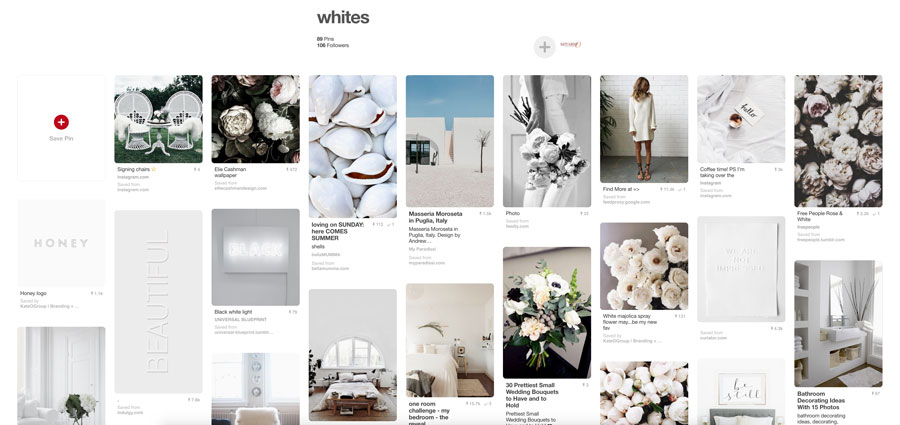
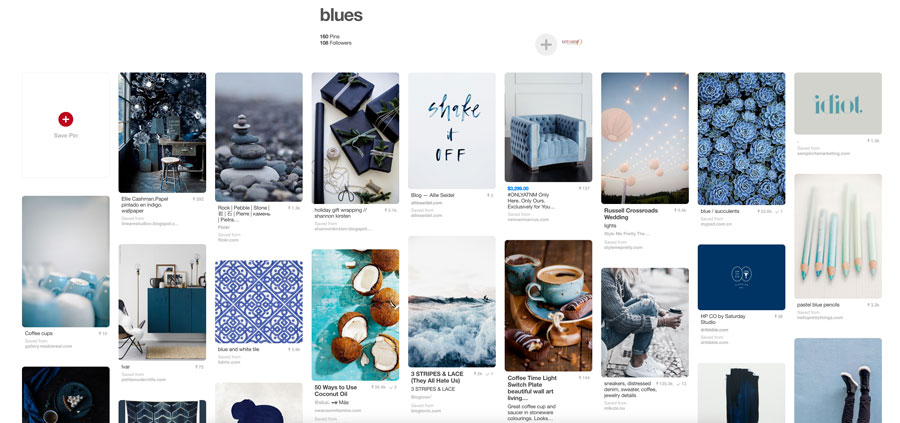
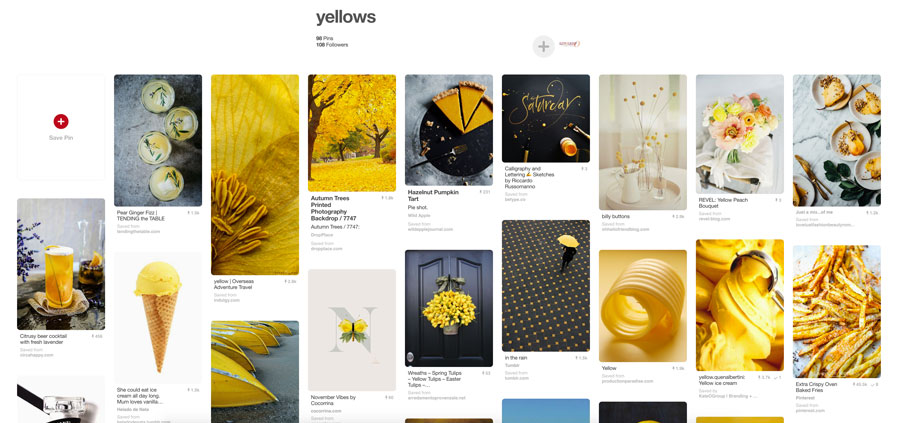
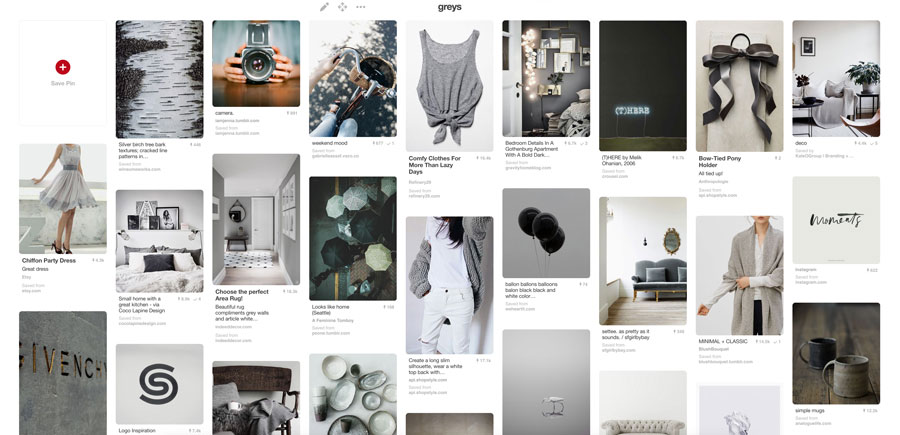
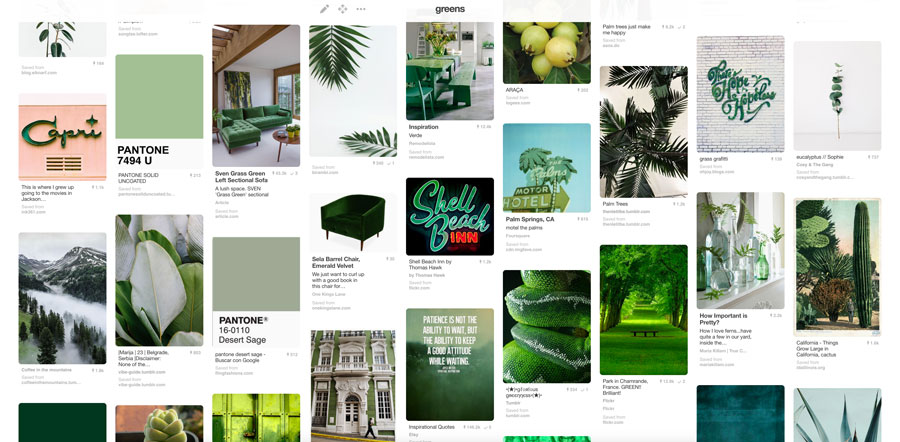
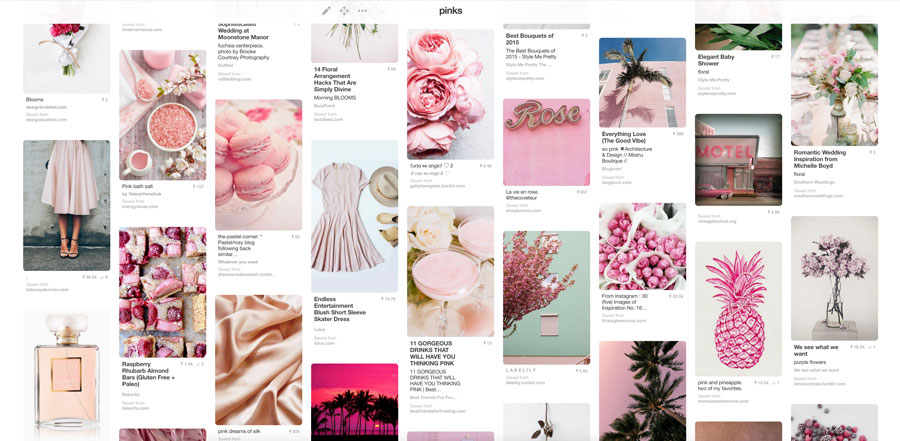
That was until I spent some time reorganizing my Pinterest boards.  All of a sudden my old obsession with Pinterest was renewed.  I created color boards.  Now I can more quickly pull together Moodboards and Inspiration for branding projects.
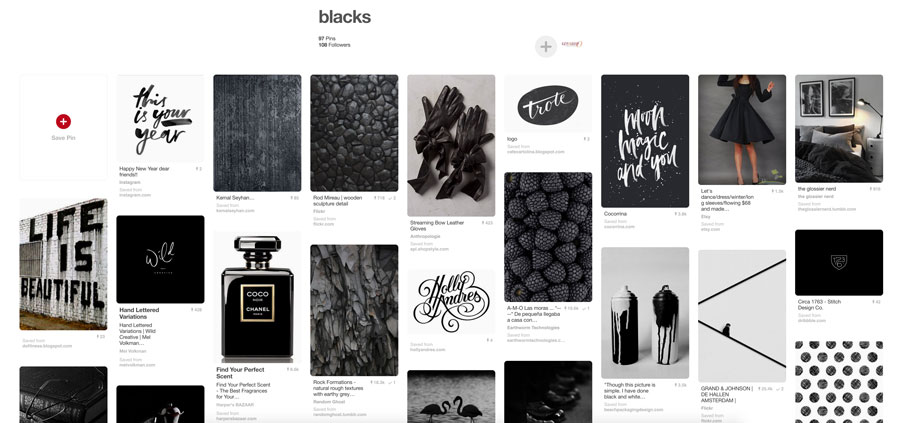
I was just going to show you a couple of boards but I just can’t get enough of these color boards, so here are a few more!
And one last board because I just couldn’t resist and it’s so pinteresting, Metallics!
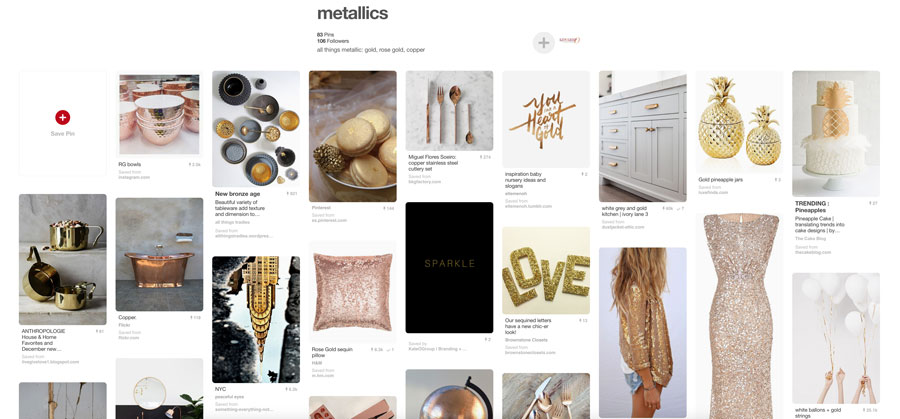
I have even more color boards on my account but you’ll have to go check them out yourself! And be sure to follow along as I continue to build up these boards: KateOGroupLLC.

Now that I have these boards I find Pinterest absolutely pinteresting and have to make myself stop adding to all of these boards. I definitely cannot take credit for this organization strategy because I’m not the first one to do this. How do you utilize Pinterest for your business?
Written by Kate O. Lynch · Categorized: Blog, Branding & Design, Business · Tagged: Pinterest, Pinterest for Business, Pinteresting

Jun 21 2016

Instagram for your Brand

Instagram for your Brand

I am constantly striving to up my Instagram game but am by no means an Instagram expert. With that said, I’ve found some pretty basic concepts to help you Instagram for your brand.  These 8 tips have consistently helped my account grow and work for me, and I wanted to share them.  I am not promising over night success but you’ll be able to Instagram for your brand with more purpose if you implement these.

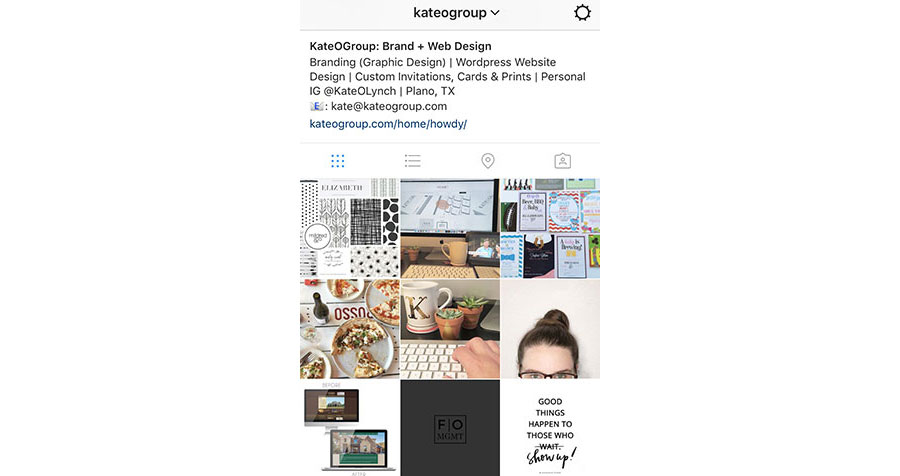
Here’s a look at my Instagram profile and feed.  Click on the image to visit my profile and be sure to follow KateOGroup!

KateOGroup Instagram Feed

1. Post Consistently
You need to post everyday. If you aren’t putting your company in front of potential customers and fans, then who is?

2. Use Similar Lighting
Whether you’re going for light or bright, be consistent. Be sure to take a look at not just your individual posts but on your entire feed. Do your photos compliment each other? Or does your feed look chaotic? For some of you using bright colors in each photo is your way of being consistent.

3. Do Unto Others as You Would Like Done to You
Like and comment on other people’s posts, this is how you’ll build a a community. Plus if you aren’t liking and commenting on posts why would people do that to your posts?

4. Think Before You Post
Be mindful about your posts. Make sure they are sending a message that explains and introduces people to your brand.

5. Mix in a Little Personality
Even though this is your business account, be sure to show your face every once in awhile and even glimpses into your life or behind the scenes. This helps people get to you know you.

6. Use all 30 Hashtags
I know it sounds extreme but it’s worth it. Experiment a little and figure out which ones work best for you. A little trick I got from my sister, keep your hashtags in a note and copy and paste them on your photos. Be sure and add the hashtags ASAP after you post your image. I like to copy them before I actually post my image so then I can immediately paste them into a comment. If you wait too long to add hashtags you lose the added benefit of posting them. Below is an example of how I post my hashtags.

KateOGroup-Hashtags

7. Study Other People’s Feeds
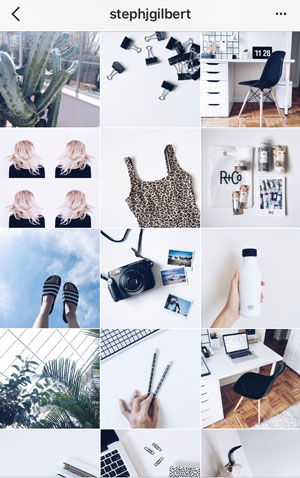
Look through the feeds you find yourself drawn to and really think about why and then figure out how to apply it to your own feed.  These are 3 feeds I absolutely love! (Click on the image and visit their feeds in person and don’t forget to show them some love!)

[one-third-first]Stephanie-Gilbert-Instagram-Feed[/one-third-first][one-third]Whitv-Instagram-Feed[/one-third][one-third]Emily-Wells-Instagram-Feed[/one-third]

Can you tell I’m a fan of muted colors and lots of white?

8. Join a Challenge
Look around and see if there are any challenges starting or already underway that work with your brand. This will be a great way to gain exposure and connect with new people.

Have you tried any of these tips? Do you find them successful as you Instagram for your brand? Let me know what works best for you in the comments below.

Written by Kate O. Lynch · Categorized: Blog, Business · Tagged: brand strategy, branding, Instagram, instagram for your brand, instagram strategy

May 31 2016

Understanding Digital File Formats

For graphic designers understanding digital file formats is a must but for people who are not graphic designers it can be down right confusing.

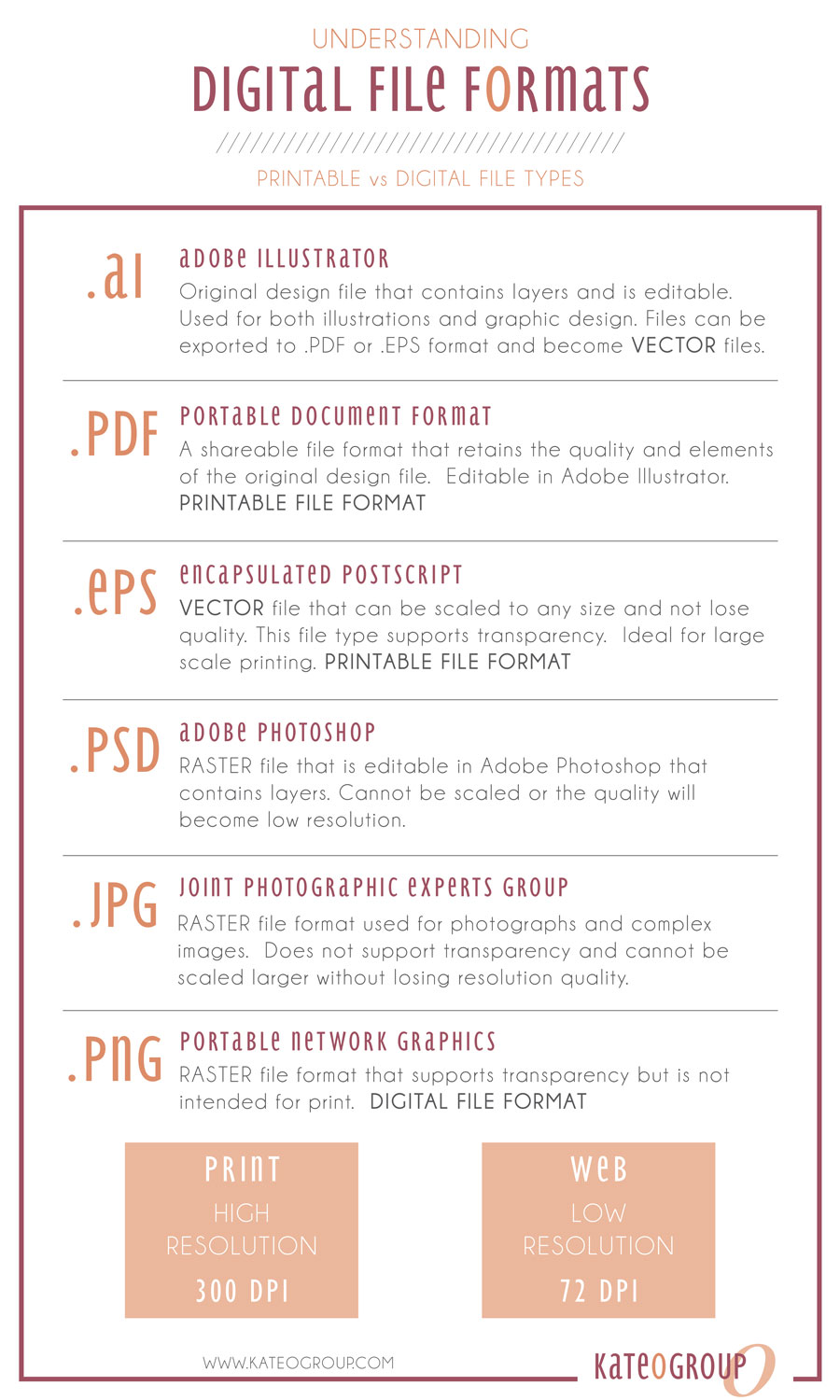
When your designer creates your logo or marketing materials the files are typically designed in Adobe Illustrator unless it is a multipage document then it will most likely be designed in Adobe InDesign.  Once the files are complete they will be saved for print or digital use.

Printable Digital File Formats

Files that are saved for print will be in PDF or EPS format.  These file types are considered vectors. These formats retain their resolution at any size.  A PDF file will be printed true to size.  Use an EPS file when large scale printing is necessary.

Online Digital File Formats

JPG and PNG formats are best for use online and are raster files.  Neither format will retain their resolution when scaled to a large format.   The biggest differences between the two file types are that a PNG format has a transparent background and is normally larger than a JPG.   A PNG file is the best option when your logo is being used in a brochure or online because it has a transparent background.  It will seamlessly work on any background.  A JPG is the best choice for uploading an image or graphic to your website.

Understanding-Digital-File-Formats

I hope understanding different file formats is now a bit easier with this infographic I created.  Do you have any questions about digital file formats I didn’t cover?

Now that you know about file formats are you planning to start designing your own logo?  We’ve got a few tips to help you get started.

Written by Kate O. Lynch · Categorized: Blog, Business · Tagged: adobe illustrator, adobe indesign, file formats, graphic design

May 25 2016

WordPress SEO Tips

Wordpress-SEO-Tips

I put together this list of WordPress SEO Tips together because most people hear SEO and either think:

  • I know I need it, but I don’t know how to do it.
  • Isn’t it expensive?

Following the tips below will help you DIY your website’s SEO.

5 WordPress SEO Tips

1. Install the Yoast SEO Plugin

The Yoast SEO Plugin is a free plugin you can find out more information about here. To install it first log into the dashboard for your WordPress website, head to the plugin section and search for Yoast SEO. Once you see it in the list of available plugins, click to install it.

I often refer to this plugin as SEO 101 or SEO for Dummies. Once the plugin is installed, open an existing page or post on your site. Scroll down below the content editor section and you will see Yoast SEO. In this section you will be able to edit the title, slug and meta description so that they all contain your focus key word or phrase. Hopefully the trickiest part of all this will be choosing the key word or phrase for that page or post. Once you’ve entered the key word or phrase, just below you’ll see the Content Analysis section.  That will act as your report card for the content on that page.

You want as many green dots as possible. Red means work on this item, orange means this could use some work and green means this item looks good and needs no improvement. The Content Analysis section will also give you suggestions on how to improve your SEO for this page or post.

2. Each page or post should include links.

Outbound links to other sites are best but links to other pages on your site are also a good idea. If you don’t have a site to link to, why not end the post with a link to one or several of your social media profiles? Not only will this give you an outbound link but it will also encourage your readers to connect with you in other places.

3. Always include an image!

This could be a picture or a graphic you created to go with the content on that page or post.

4. Add new content.

This should be the #1 item on my WordPress SEO Tips list.  But since this tip isn’t WordPress specific,  I’m putting it at #4. The search engines love, love, LOVE new content! New content tells the search engines to come and crawl your site and take a look at what’s new which also increases your ranking. Content can be a new post, adding a few sentences to an existing page or even uploading new images.  Though be sure your key word is in the title of the image.

5. Share your content on Social Media.

Be sure to post, tweet and pin links to your recent blog posts. These links to your content tell the search engines that your content is important and help establish you as an expert on the topics you write about.

These are just a few WordPress SEO Tips but if you follow them you should begin to see an increase in traffic to your website!

Need more help with your WordPress Website, visit our blog post on Website Basics.

Written by Kate O. Lynch · Categorized: Blog, Business · Tagged: DIY SEO, SEO for Wordpress, SEO Tips for Wordpress

May 10 2016

5 Ways to Network Your New Business

Network Your BusinessYou’ve settled on a name for your business and have created a basic style for your brand it’s time to make yourself known and network your business.  You might be asking how or where do I start? Networking opportunities are all around us and thanks to social media it is now easier than ever! Here are 5 ways to network your new business:

1. In Person Networking

A great tool for finding networking opportunities in your community is Meetup.  Meetup offers a wide variety of groups you can attend, so no matter your industry you will find a group for you.  I’ve also found that when you attend an in person networking event you are often invited to attend another group.  An added benefit of in person networking when you’re a solopreneur is the opportunity to interact with other people and help you avoid any feelings of loneliness.

2. Reach out to like-minded professionals to provide and gain the support of your peers.

I’ve found that one great way of doing this is joining online communities like Facebook Groups.  A few of the great groups I have joined are The Rising Tide Society (this group is full of photographers), Savvy Business Owners & Being Boss.

3. Social Media

Social Media is a great way to network.  Find the platforms you enjoy most and spend your time on those sites.  Don’t just post your photos or statuses, be sure to interact with other users though comments and likes.  Don’t be afraid to show off your personality.

My personal favorite is Instagram but I also like Facebook and Pinterest, and have recently joined Snapchat.

4. Don’t Be Shy

When you’re first starting your business, tell everyone about what you do. Now don’t be pushy or annoying but don’t be shy about what you do. You might think you’ve told everyone you know about your new venture but everyone is so busy these days they might have missed your announcement.  I’ve found that you never know who can become a customer or could connect you to a future customer.

5. Build a Community

Initially this might be something as simple as a hashtag or could be sending out a newsletter.  You don’t have to jumpstart with your own Facebook Group right off the bat!  Start simple and build from there!

Where do you spend most of your time networking your business online?

Want to be the first to know when these designs are available?  Sign up for our Weekly Notes through the form below:

Sign Up to Receive Weekly Notes That Dig Deeper Into Topics Like This!

* indicates required


Written by Kate O. Lynch · Categorized: Blog, Business · Tagged: business networking, network your business, networking your business, networking your small business

  • « Go to Previous Page
  • Page 1
  • Page 2
  • Page 3
  • Go to Next Page »

Get In Touch!

howdy@kateogroup.com

Sign Up to Receive Our Newsletter

!
!
Subscribe
Something went wrong. Please check your entries and try again.

Follow Us

© 2025 KateOGroup | All Rights Reserved